
hyprland-for-dgpu-laptop.md (5696B)
1 --- 2 title: Hyprland on dGPU Laptop 3 description: This guide details a clever Arch Linux + Hyprland setup on a dual-boot NVIDIA dGPU laptop, allowing the user to boot directly into Hyprland on an external monitor while keeping the laptop lid closed — no keyboard interaction required. 4 --- 5 6 # Hyprland on dGPU Laptop 7 8 2025-11-14 9 10 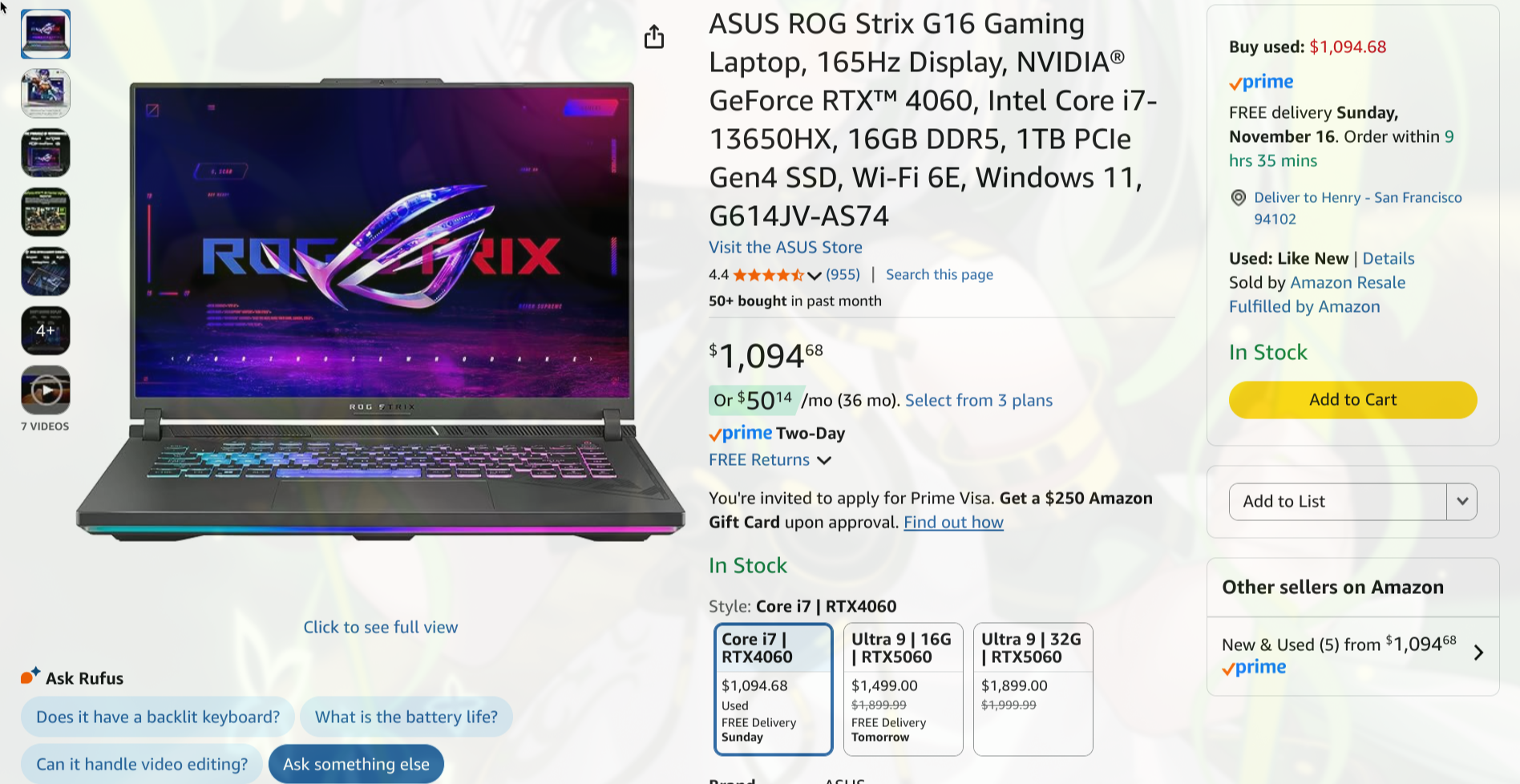 11 12 Last year I bought this laptop to dual-boot Archlinux and Windows. I bought a dedicated NVMe drive, installed Arch, and setup a GRUB boot partition to switch between OS. 13 14 ## My Setup 15 16 I strictly like to use a single monitor and keep my laptop lid shut. So after installing Arch and [Hyprland](https://hypr.land/), booting my laptop with lid shut and directly into Hyprland on my external monitor was problematic. I would have to first open my laptop lid, login to archlinux, and set Hyprland to use my dGPU over the iGPU. 17 18 ## The Problem 19 20 After installing Arch and Hyprland, there's a couple problems that come with achieving my ideal setup: 21 22 - [Booting directly into desktop environment](#booting-directly-into-desktop-envrionment) 23 - [Switching between external monitor or laptop display](#switching-displays) 24 - [Choosing which OS to boot into](#dual-boot) 25 26 ## Booting Directly Into Desktop Environment 27 28 By default, Arch uses [`agetty`](https://man.archlinux.org/man/agetty.8.en) to open a tty port, prompting login, and starting that user's shell. It comes with a `systemd` unit that looks like this: 29 30 ``` 31 [Service] 32 ExecStart=-/sbin/agetty --noreset --noclear --issue-file=/etc/issue:/etc/issue.d:/run/issue.d:/usr/lib/issue.d - ${TERM} 33 Type=idle 34 Restart=always 35 ``` 36 37 One thing nice about `agetty` is that is comes with a `--autologin`, so when my system starts it will open a shell for my user without having to login. With a simple bash script in my user's `.bashrc` file, I can invoke Hyprland at startup. 38 39 ```sh 40 if command -v hyprland > /dev/null 2>&1; then 41 if [[ -z "$HYPRLAND_INSTANCE_SIGNATURE" ]]; then 42 hyprland 43 fi 44 fi 45 ``` 46 47 First checking if the `hyprland` command exists, then checking the `HYPRLAND_INSTANCE_SIGNATURE` environment variable to know if the bash session is currently running in a Hyprland instance. If it's not, fire up Hyprland! 48 49 ## Switching Displays 50 51 So now that my machine can fire up Hyprland from boot without ever having to touch the keyboard, there needs to be a way to know whether Hyprland should use the external monitor or laptop display. The default behavior for this is sending display primarily to the integrated display, and to the external monitor if connected. For my setup, I want it to only use the external monitor if connected. 52 53 ### Detecting Monitor 54 55 My laptop has a discrete NVIDIA GPU that has an HDMI port which will be primarily used for connected external monitors. After installing the appropriate [NVIDIA drivers for Arch](https://wiki.archlinux.org/title/NVIDIA), I can detect if there is a display attached. The proprietary NVIDIA drivers come with an [`nvidia-smi`](https://docs.nvidia.com/deploy/nvidia-smi/index.html) utility which can be used to detect if a display is connected by doing the following: 56 57 ```sh 58 $ nvidia-smi --query-gpu display_attached 59 display_attached 60 Yes 61 ``` 62 63 By modifying the `.bashrc` script, I can pipe this standard out into bash and use that to detect if Hyprland should prioritize this GPU display: 64 65 ```sh 66 if command -v hyprland > /dev/null 2>&1; then 67 if [[ -z "$HYPRLAND_INSTANCE_SIGNATURE" ]]; then 68 DISPLAY_ATTACHED_OUT=$(nvidia-smi --query-gpu display_attached) 69 70 if [[ $DISPLAY_ATTACHED_OUT == *"Yes"* ]]; then 71 echo "external display connected"; 72 AQ_DRM_DEVICES="/dev/dri/card1:/dev/dri/card0" hyprland; 73 else 74 echo "external display disconnected"; 75 hyprland 76 fi 77 fi 78 fi 79 ``` 80 81 By setting the [`AQ_DRM_DEVICES`](https://wiki.hypr.land/Configuring/Multi-GPU/) environment variable prior to running `hyprland`, we can tell the compositor to prioritize the dGPU over the integrated Intel GPU. This will result in Hyprland only using the external monitor. 82 83 ### Integrated GPU 84 85 Using the dGPU acceleration on the laptop display is something Hyprland does not support out of the box, and setting the `AQ_DRM_DEVICES` does not accomplish this either. This is because the laptop display is connected directly to the iGPU which the BIOS prioritizes over the dGPU by default. There is a UEFI setting that allows you to configure priority over dGPU, but this can only be accomplished if the hardware includes a MUX. 86 87 For my setup, I'm not concerned with GPU acceleration over the laptop display since I use [dual booting](#dual-boot) and do gaming on Windows. 88 89 ## Dual Boot 90 91 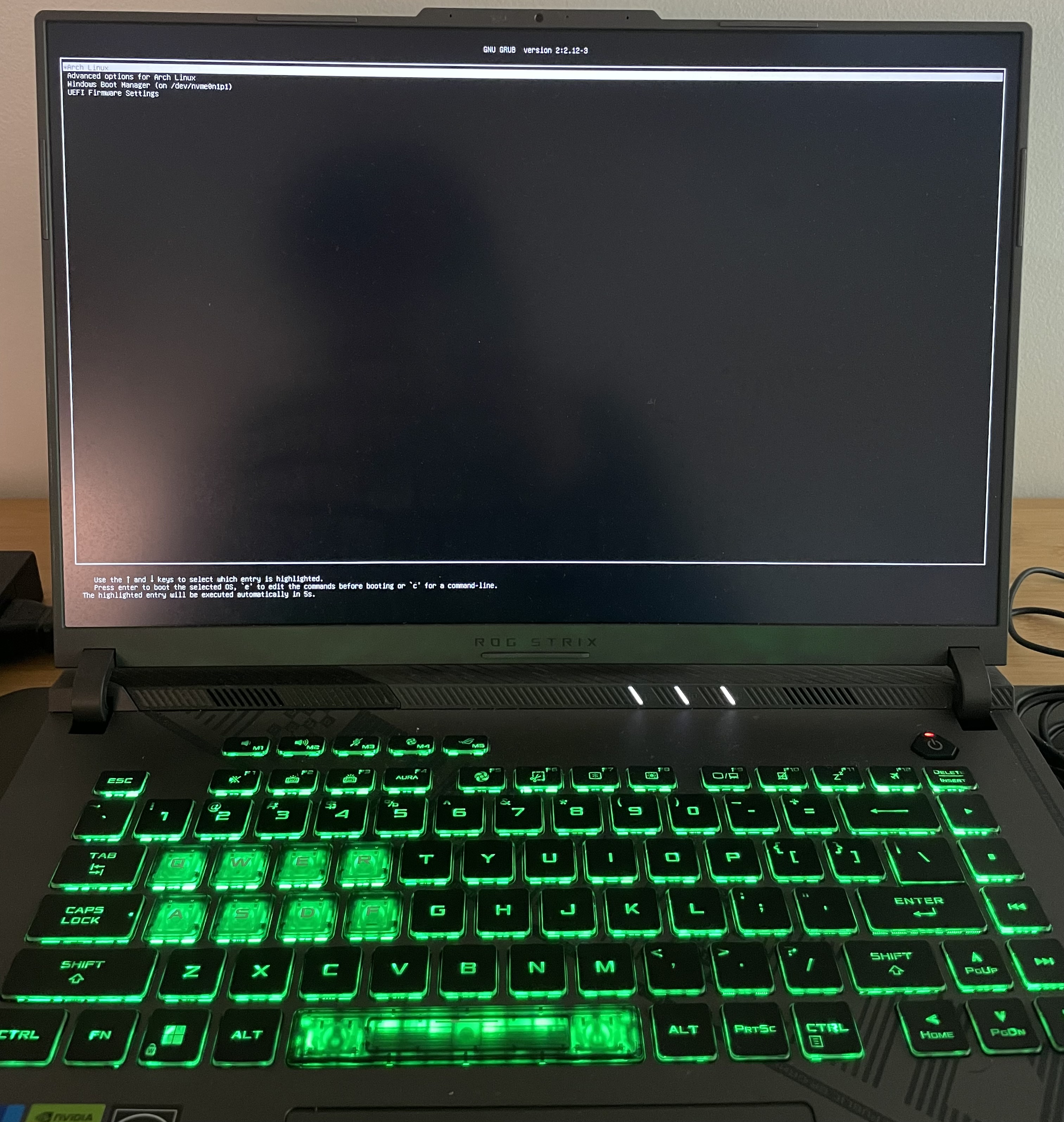 92 93 > But if the laptop lid is closed, how do you choose to boot into Windows from the GRUB menu? 94 95 ```sh 96 sudo grub-reboot 2 && reboot; 97 ``` 98 99 By using this bash script, I can do the following to boot into Windows: 100 101 1. Power on the device 102 2. Boot into Arch 103 3. Arch seamlessly load into Hyprland 104 4. NVIDIA SMI detects the monitor 105 5. Prioritize the dGPU for Hyprland 106 6. Hyprland sends display to the external monitor 107 7. Run `grub-reboot` to reboot into Windows 108 109 ## Demo 110 111 <!-- cspell:disable-next-line --> 112 <blockquote class="twitter-tweet" data-media-max-width="560"><p lang="en" dir="ltr">dual booting arch linux and windows <a href="https://t.co/Sqjl6MyihI">pic.twitter.com/Sqjl6MyihI</a></p>— Henry Unite (@UniteHenry) <a href="https://twitter.com/UniteHenry/status/2048181022941233175?ref_src=twsrc%5Etfw">April 25, 2026</a></blockquote> <script async src="https://platform.twitter.com/widgets.js" charset="utf-8"></script>