
README.md (1534B)
1 # Modal x Omniparser 2 3 <https://github.com/user-attachments/assets/18f41b9e-65fe-4115-acd9-5cc4ac6b2f7b> 4 5 An [OmniParser](https://github.com/microsoft/OmniParser) port for the [Modal](https://modal.com) platform. 6 7 ## Motivation 8 9 Downloading and building OmniParser from source is not trivial to do out of the box. This project, and the Modal platform, make it extremely easy for anyone who wants to just pass a screenshot into the model and have it return the parsed content. 10 11 ## Getting Started 12 13 ```bash 14 # 1. Authenticate with modal 15 uvx modal setup 16 17 # 2. Invoke parser on modal 18 uvx modal run -w response.json parse.py --file-url=https://raw.githubusercontent.com/microsoft/OmniParser/refs/heads/master/imgs/word.png 19 ``` 20 21 ## Formatting 22 23 ```bash 24 uvx ruff format *.py 25 ``` 26 27 ## Annotated Images 28 29 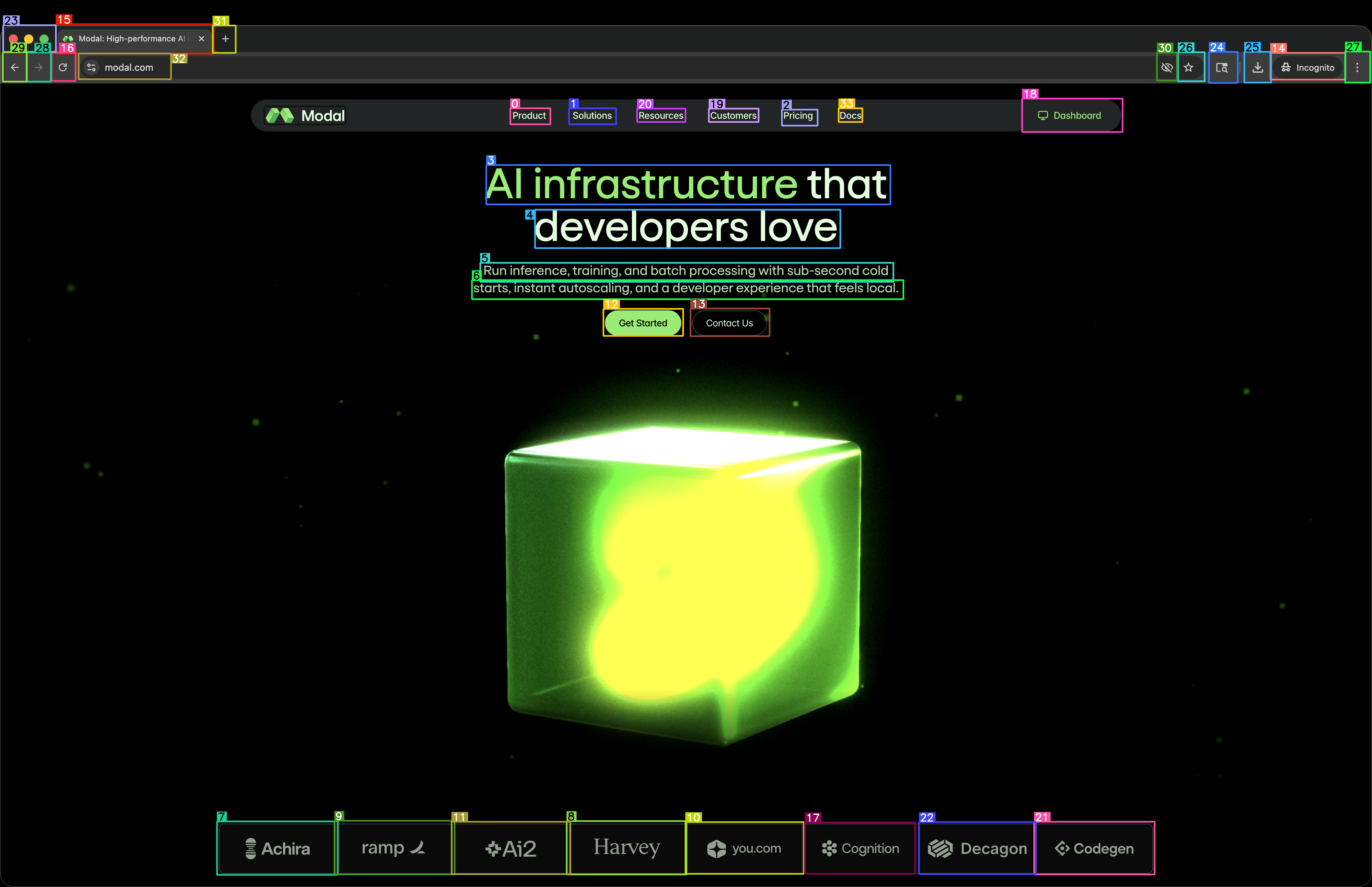 30 31 Annotated images are stored in a Modal volume called `omniparser` by default. The images can be found under the `omniparser/output` directory. 32 33 ## Building OmniParser 34 35 The current image configuration is setup to support [OmniParser v.2.0.1](https://github.com/microsoft/OmniParser/releases/tag/v.2.0.1). The dependencies are pinned in `omniparser-requirements.txt` with tweaks to get the model to actually run. These tweaks include the following: 36 37 - `paddleocr<=2.8` 38 - `torch==2.2.0` 39 - `transformers==4.38.2` 40 - `paddlepaddle<=2.8` 41 - `cuda-12.2.0` 42 - `flash_attn-2.6.0+cu122torch2.2cxx11abiFALSE-cp312-cp312-linux_x86_64.whl`